For small businesses with no HR department
Your whole company on one page.
No HR system required.
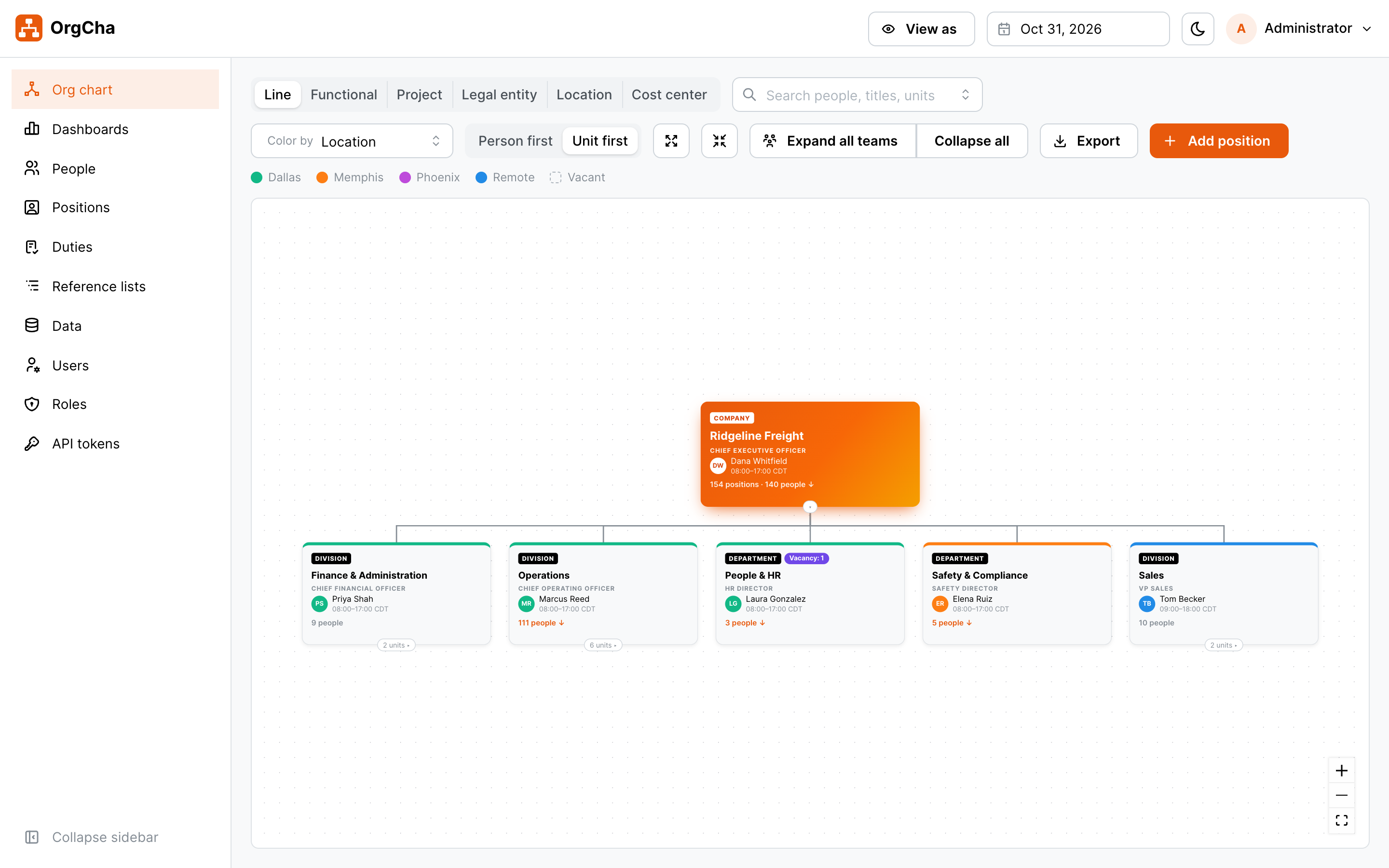
OrgCha shows who reports to whom, which seats are open, what each team costs and how the company looked on any date. Built for companies of 20 to 300 people that run on spreadsheets and goodwill, not an HRIS.
No integrations. No per-seat surprises. Runs on your own server.
Why OrgCha
Big-company HR software is built for big companies.
An HRIS takes months to buy, configure and integrate, and it needs someone to run it. Most small businesses just need a clear, trustworthy picture of their people. OrgCha gives you that from day one.
Without OrgCha
- The org chart is a slide nobody has updated since spring
- Open roles live in the CEO's head and three email threads
- "Who does this person report to?" takes a Slack poll
- Salary data sits in a spreadsheet that too many people can open
- Planning a reorg means redrawing boxes by hand
With OrgCha
- One live chart, always current, open in any browser
- Every position tracked: filled, vacant, frozen or planned
- Search anyone and see their manager, team and location
- Pay and notes visible only to the roles you choose
- Date future changes and preview the new structure before it happens
Up and running in a day
Load your people once and you have a working org chart, dashboards and a directory. No HRIS, payroll or SSO hookups to wait for.
Made for owners and managers
Designed for the CEO, the office manager and department heads, not HR specialists. If you can use a spreadsheet, you can use OrgCha.
Your data stays yours
Self-hosted with Docker on your own server. Encrypted HTTPS only, role-based access and a full change history.
Features
Everything you need to see and shape your organization
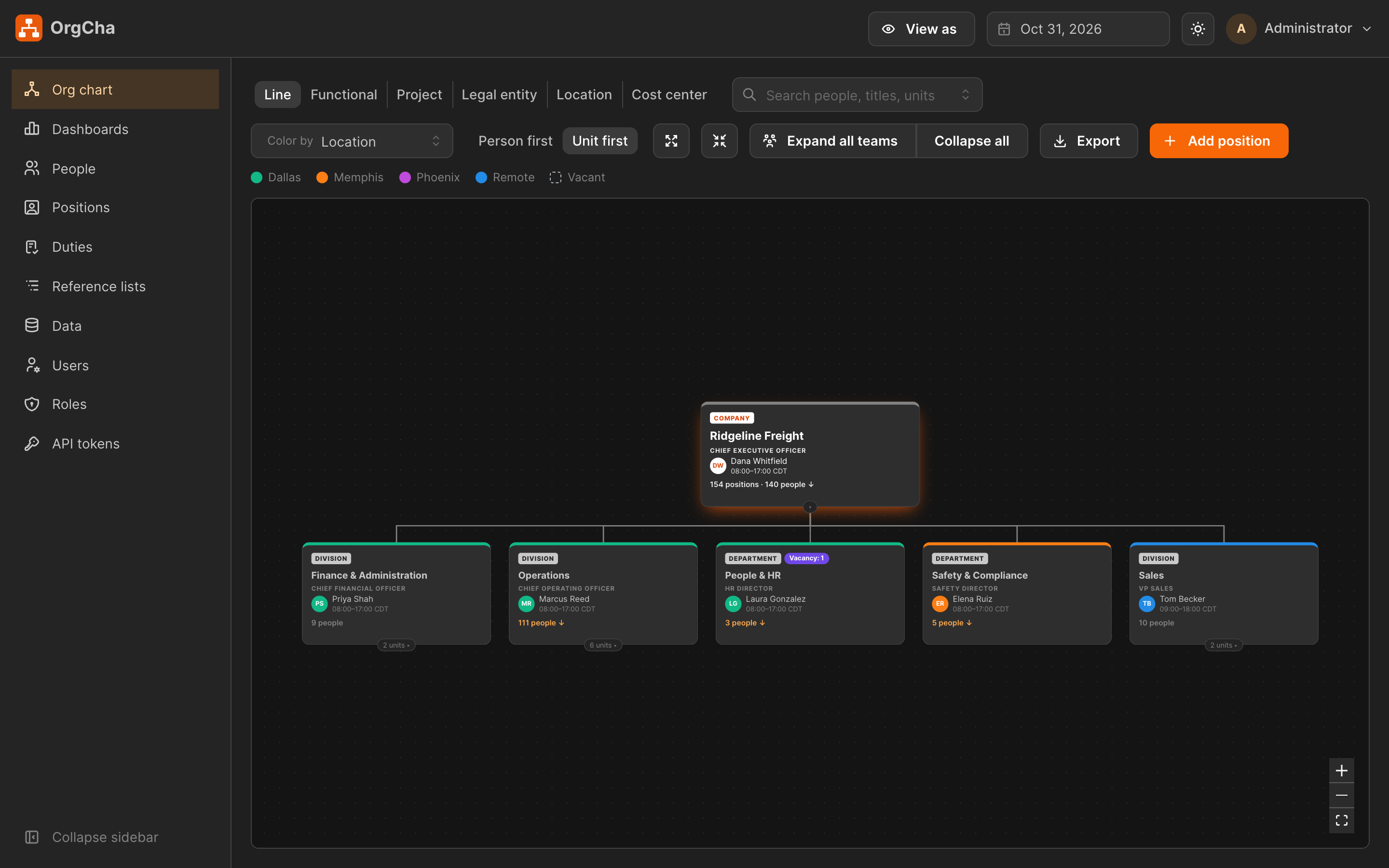
Six ways to look at one company
Real companies are not a single tree. Switch views with one click and the same people regroup instantly.
- Person first cards, or Unit first boxes that show each team with its head, headcount and open seats
- Color cards by location, grade and more, and pick which fields show
- Work shifts on every card, shown in your head-office time zone
- Drag a person onto a new manager, confirm, done
Positions and vacancies, not just people
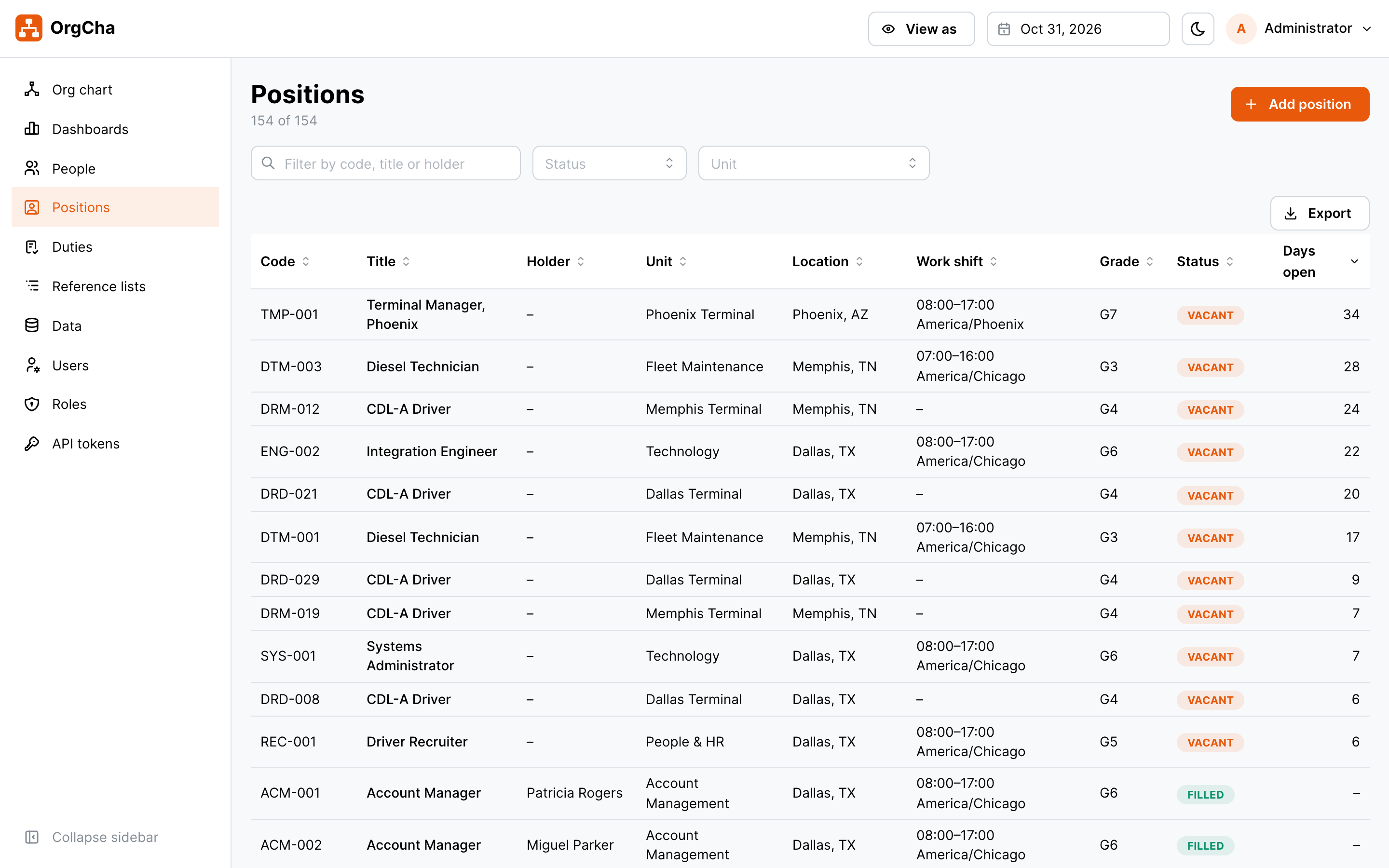
Every seat in the company is a position with a grade, budget and status. Vacant seats show on the chart, so hiring plans are visible to the people who need them.
- Filled, vacant, frozen and planned positions
- Assign a new hire to an open seat in seconds
- Primary and secondary assignments for shared roles
Who does what, finally written down
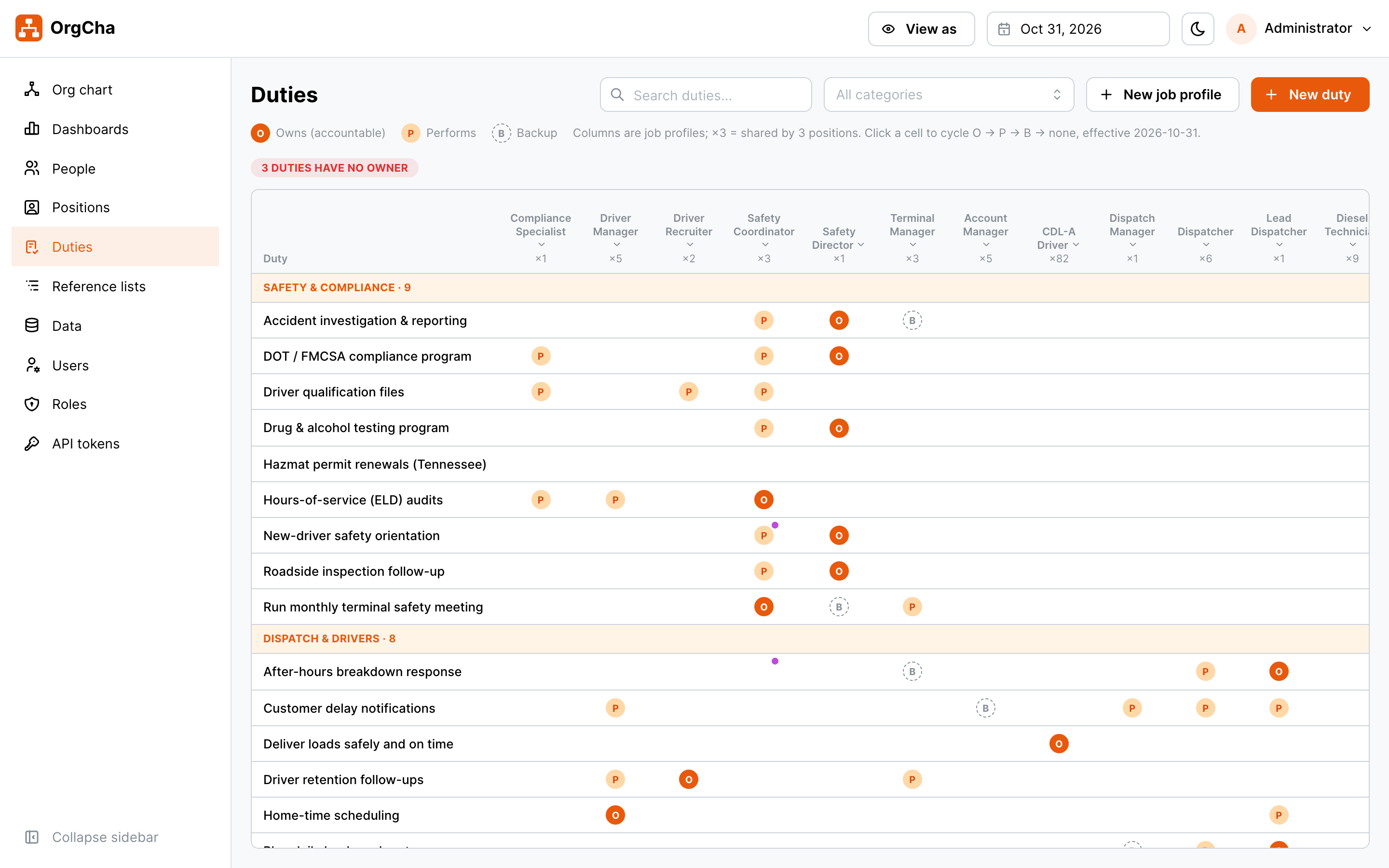
Keep one library of business duties and attach them to job profiles shared by alike positions. Each duty shows who owns it, who performs it and who backs it up, with a share of their time. A matrix flags any duty nobody owns.
- Duties count on each chart card, unfold to see the list
- Personal exceptions for one person, without changing the position
- Dated like everything else, so you can see who owned what last quarter
Edit every view, not just the tree
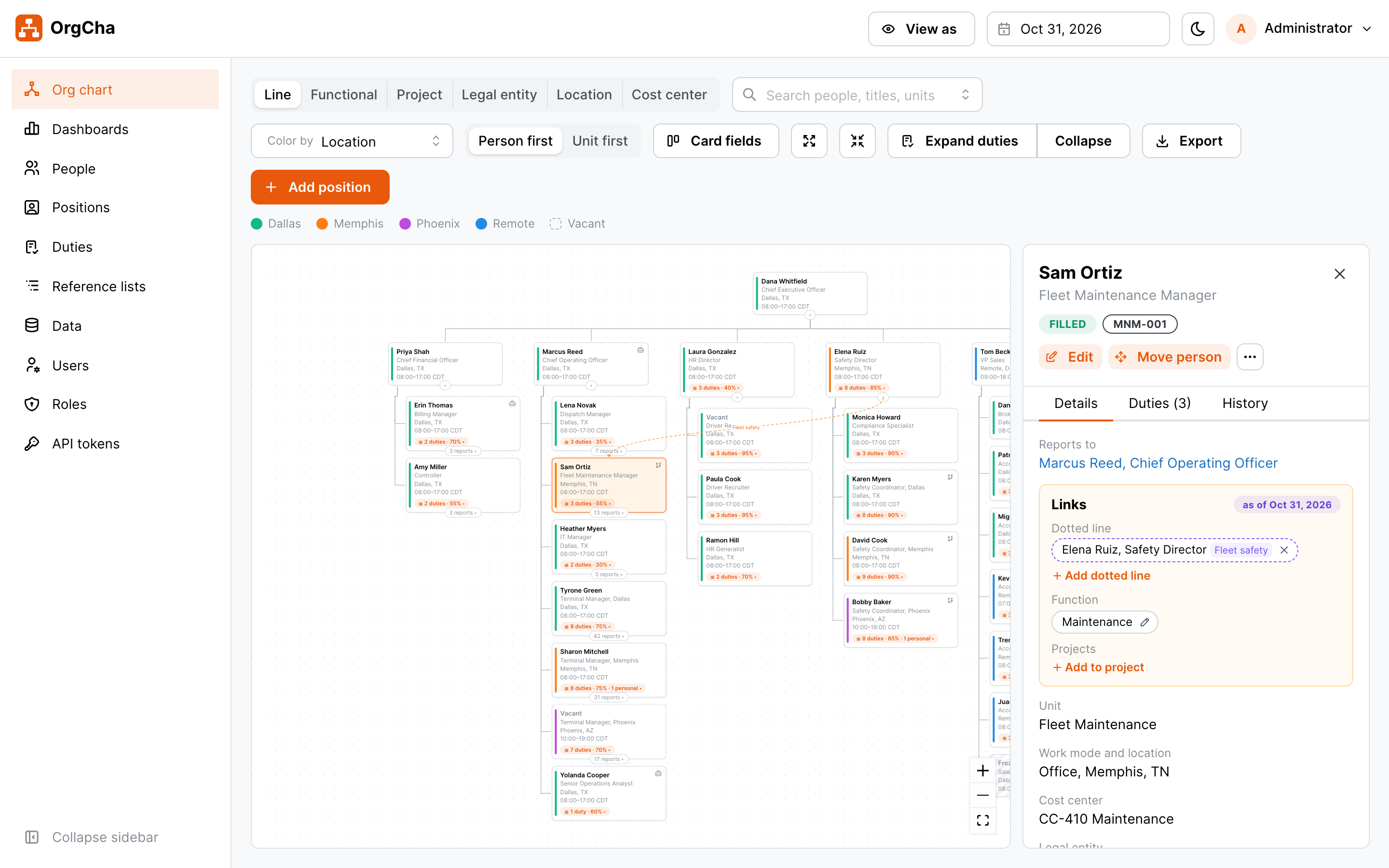
Change the things that never fit on a reporting line right where you see them. Open a person's card to fix their links, or the top of a duty matrix column to tidy a job profile.
- Add or end dotted-line managers from the person's card
- Set function and projects in the same place
- Rename, describe, copy or retire job profiles from the duty matrix
- Collapse the sidebar for more chart room
Time travel for your org chart
Pick any date and every screen shows the company as it was, or as it will be. Enter a reorg with a future effective date and preview the new structure before you announce it.
- Look back years to see how teams grew
- Schedule moves, promotions and new positions ahead of time
- A change log shows who changed what, and when
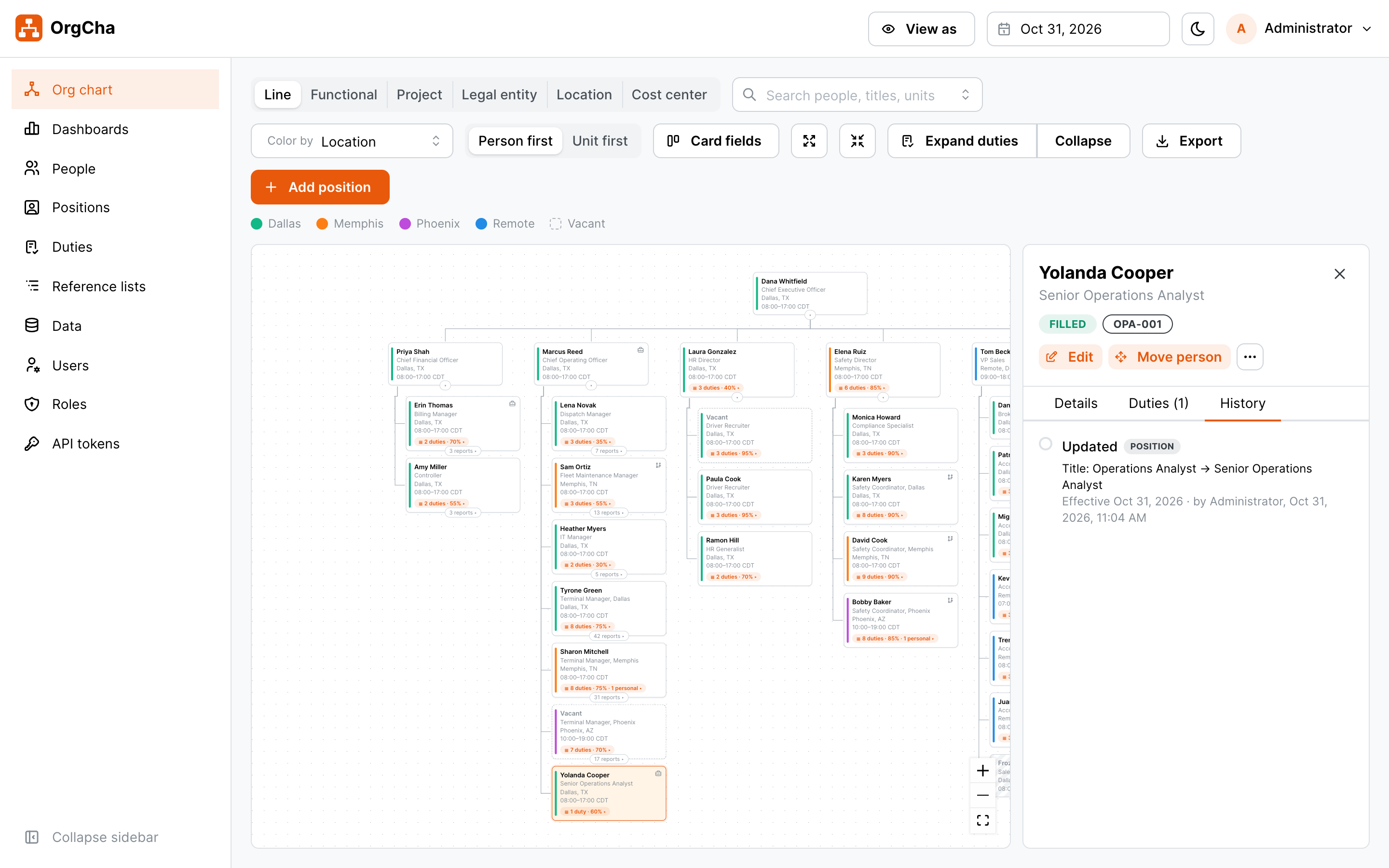
Dashboards that answer the board's questions
Headcount, open positions, span of control and people cost, for the whole company or any team. Click a bar to drill down, click a vacancy to open it.
- 12-month headcount trend and FTE
- Managers with too few or too many direct reports, flagged
- Total compensation cost by unit, for the roles allowed to see it
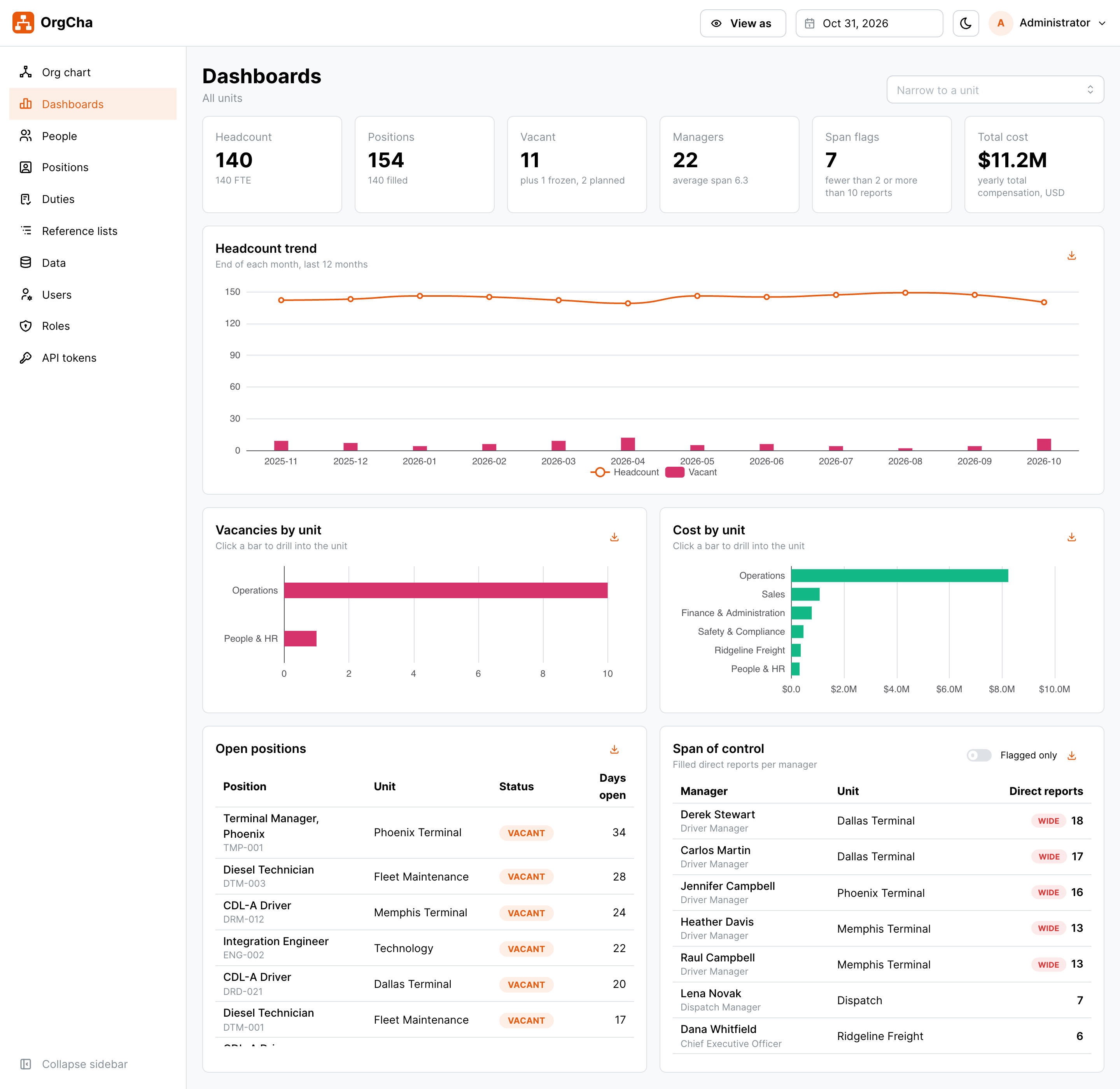
Share it the way people actually read it
Export the org chart to PDF or PNG for the all-hands deck, and any table or chart to Excel or CSV for the accountant. Exports respect each person's access rights.
- Org chart as A4 PDF or image
- People and positions to Excel or CSV
- Every dashboard widget as CSV, PNG or PDF
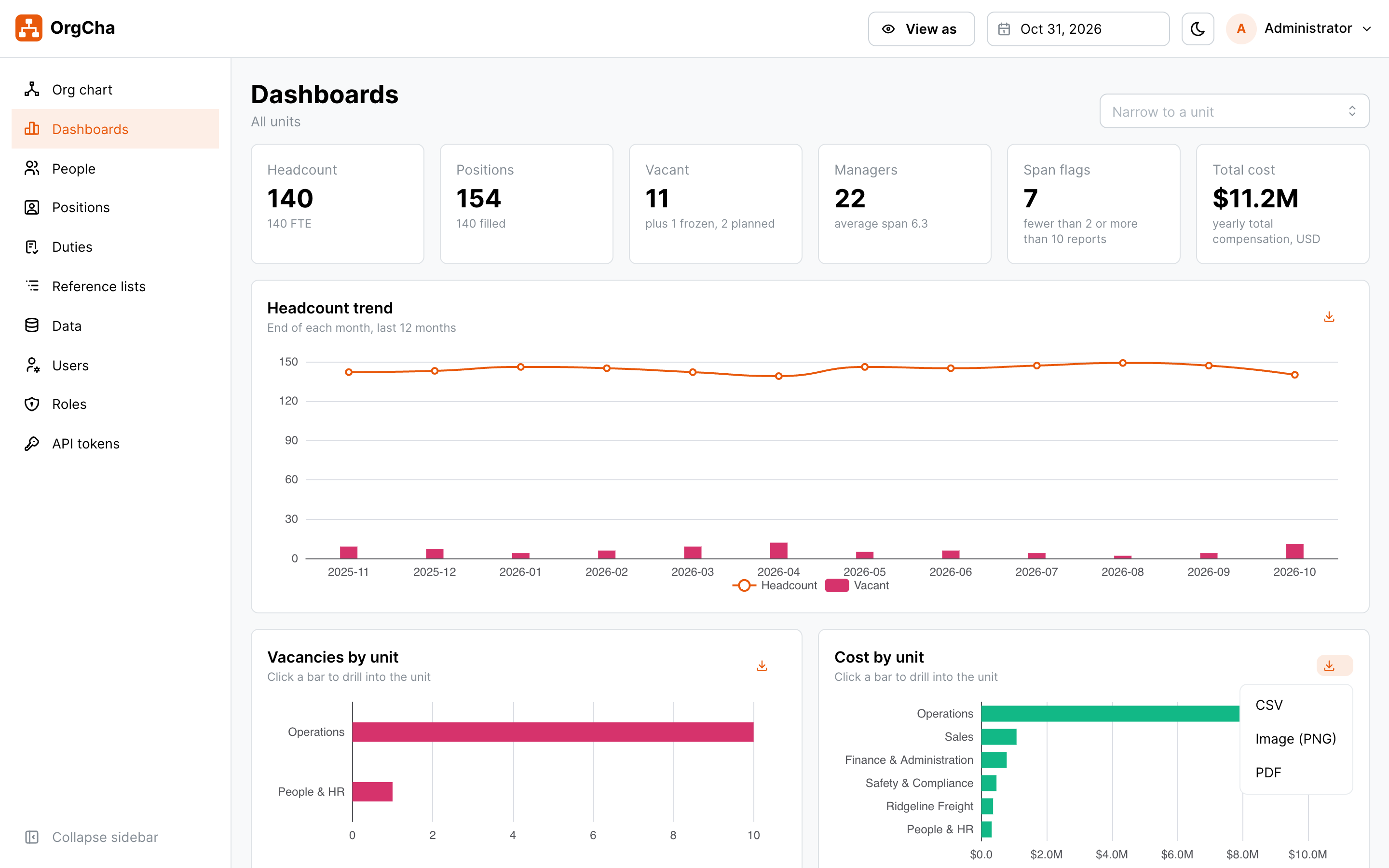
Ask your AI assistant about your org
OrgCha has a built-in MCP server, so Claude and other AI assistants can answer "how many open roles do we have in Memphis?" or draft a reorg, with exactly the same permissions as the person who owns the token.
- Search people, positions, teams and metrics
- Optional write access to create positions and move people
- Every AI call is logged and tokens can be revoked anytime
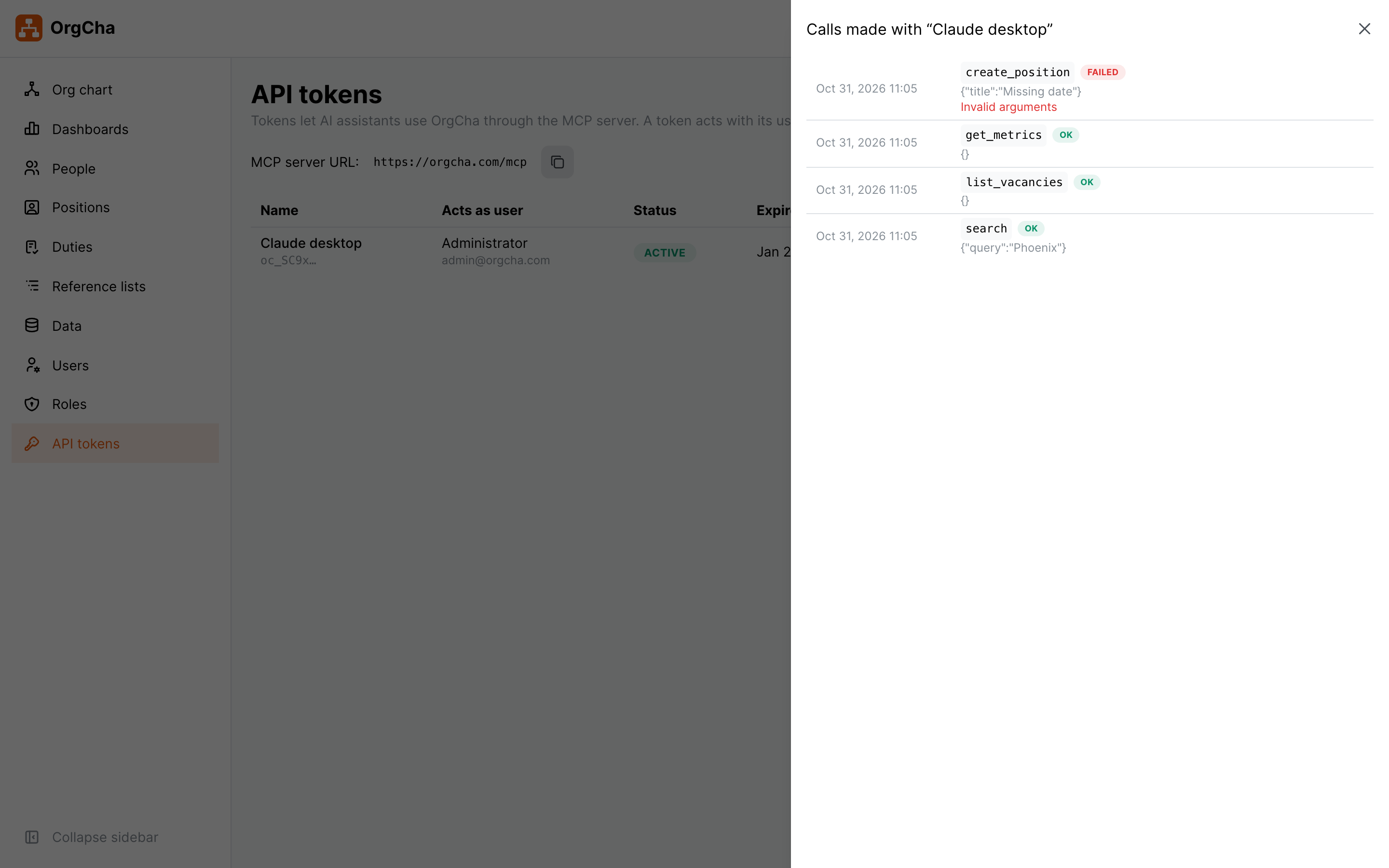
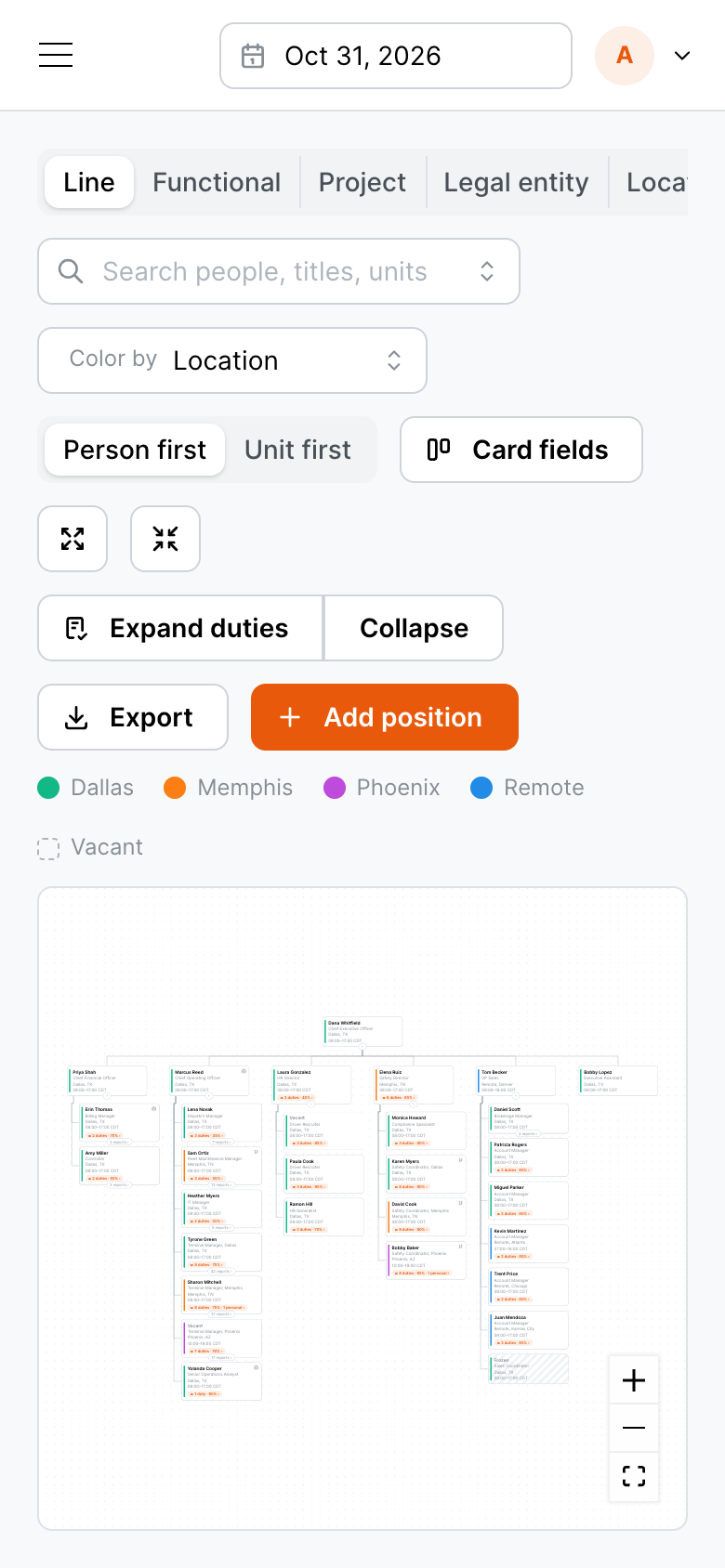
Looks good on any screen, day or night
Works in any modern browser on desktop, tablet and phone. Light and dark themes are built in.
Access and privacy
Everyone sees what they should. Nobody sees more.
Salaries, notes and budgets are protected. Each role decides who can view sensitive data, and department heads only see their own part of the company.
| Role | Sees | Can change |
|---|---|---|
| Admin | Everything | Everything, plus users, roles and AI tokens |
| HR | Whole company, including pay | People, positions and structure |
| C-level | Whole company, including pay and cost dashboards | As you configure |
| Department head | Their own subtree | Within their subtree |
| Employee | Company directory and org chart | Nothing (read only) |
HTTPS only
Encrypted connections with automatic certificates, secure cookies and HSTS.
"View as" any role
Admins can preview exactly what an employee or department head will see before giving access.
Audit trail
Every change is recorded with the person who made it, including changes made by AI assistants.
Getting started
From spreadsheet to live org chart in three steps
Install
One Docker Compose stack on your own server or VPS, behind your domain with HTTPS. Daily backups included.
Load your people
We load your team, positions and structure for you, or you add them in the app. No other system needs to change.
Invite your team
Send one-time sign-in links, pick a role for each person, and the whole company has the same picture.
FAQ
Questions small businesses ask
We have no HR system. Is that a problem?
No, that is who OrgCha is for. It does not depend on an HRIS, payroll or directory. If you add one later, OrgCha can stay your org chart.
How big a company is it for?
It is designed for teams of roughly 20 to 300 people. Our demo company has about 150 employees across several cities and remote staff.
Where is our data stored?
On your own server. OrgCha runs in Docker with PostgreSQL, so you control the data, the backups and who can reach it.
Do we need a dedicated admin?
No. An owner, office manager or finance lead can run it in a few minutes a week.
Can we try it first?
Yes. Book a demo and we will walk you through a live instance with a fictional 150-person trucking company, Ridgeline Freight.
See your company clearly, starting this week.
Book a 20-minute demo. We will show OrgCha on a real-sized company and talk about getting your team loaded.